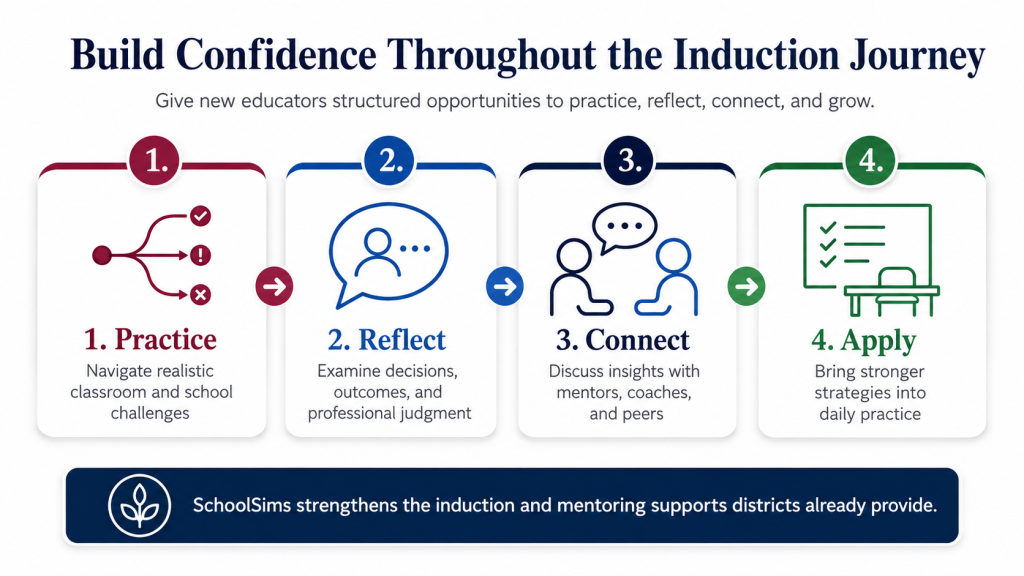
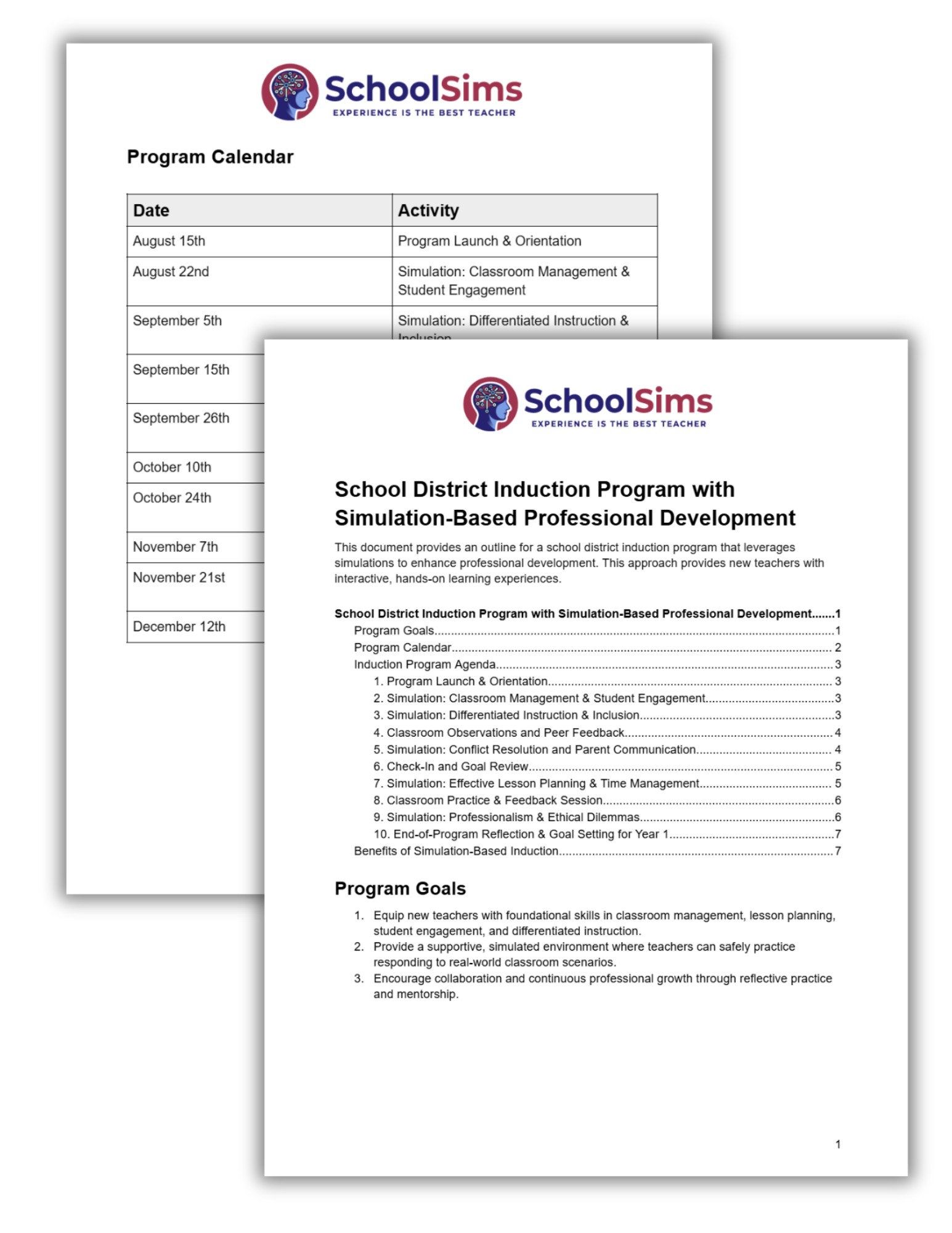
Mentors and instructional coaches play an essential role in helping new educators build confidence, navigate challenges, and connect professional learning to classroom practice. Limited time and competing responsibilities, however, can make it difficult to provide personalized support after every learning experience.
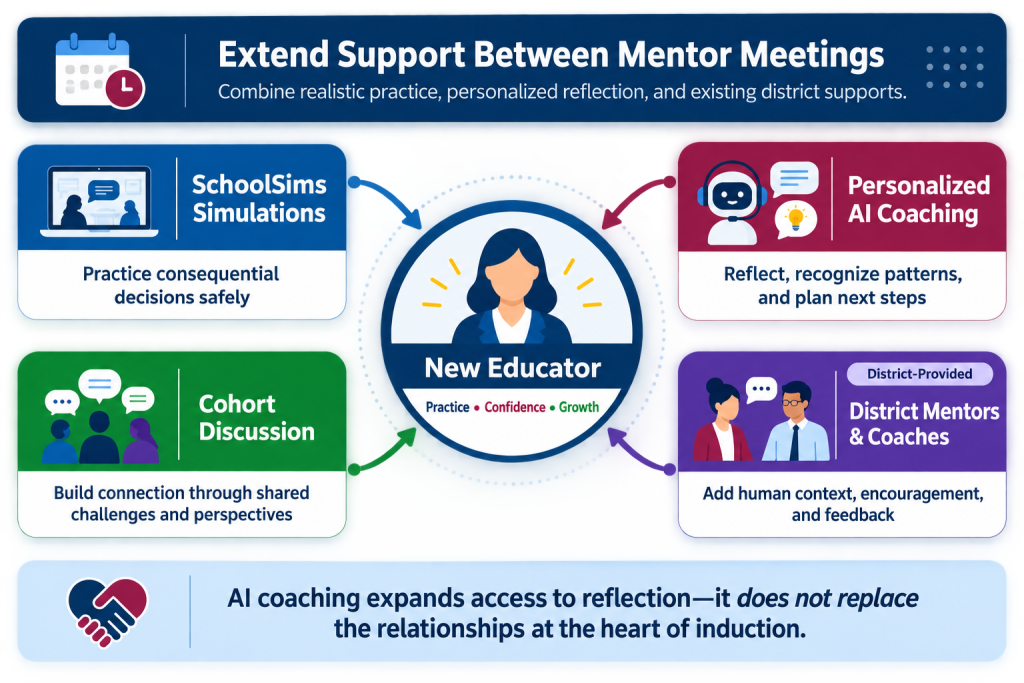
SchoolSims complements—not replaces—these relationships. New educators practice navigating realistic challenges through simulations and then engage in personalized AI coaching grounded in the decisions they made. Participants can bring their insights and action steps into conversations with district mentors, coaches, and peers.
AI coaching expands access to reflection between meetings while preserving the human relationships at the heart of effective induction.
Fit SchoolSims Into Your Existing Induction Program
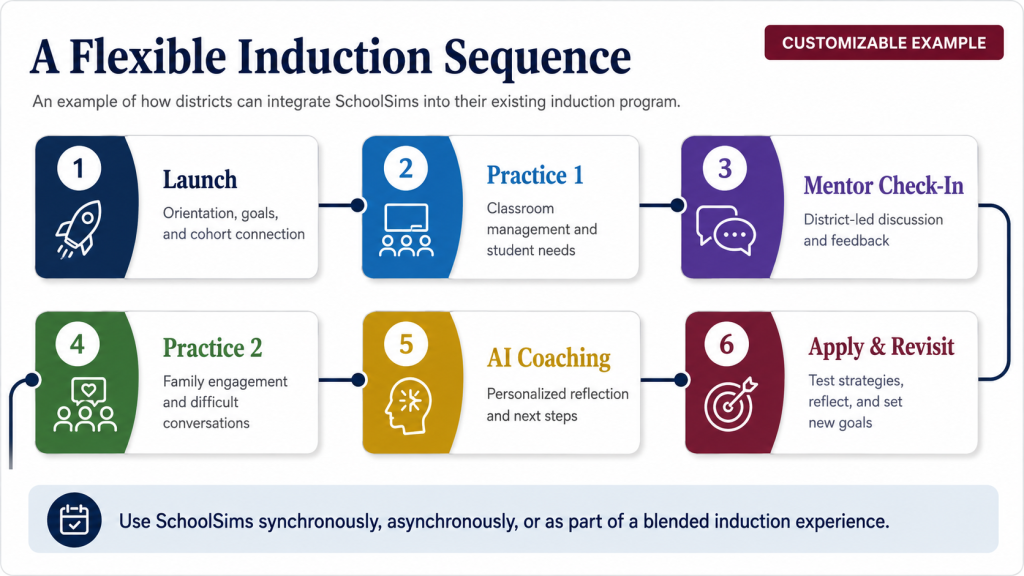
***Note*** Sample sequence shown for illustration. Districts can customize simulation topics, timing, coaching, and cohort activities.
Every district approaches induction differently. SchoolSims can be incorporated into an existing program without requiring districts to replace their current mentoring, coaching, professional learning, or cohort activities.
Districts can use simulations:
- Before a mentor or coaching meeting to establish a shared topic
- During cohort sessions to generate discussion and compare perspectives
- Between meetings to provide continued practice and reflection
- Asynchronously as part of a self-paced induction experience
- Alongside district priorities, professional standards, or development goals
- In response to emerging needs across an induction cohort
SchoolSims can be used synchronously, asynchronously, or as part of a blended experience. Districts select the simulations, timing, and supporting activities that best fit their educators and induction model.
Identify Where New Educators May Need More Support
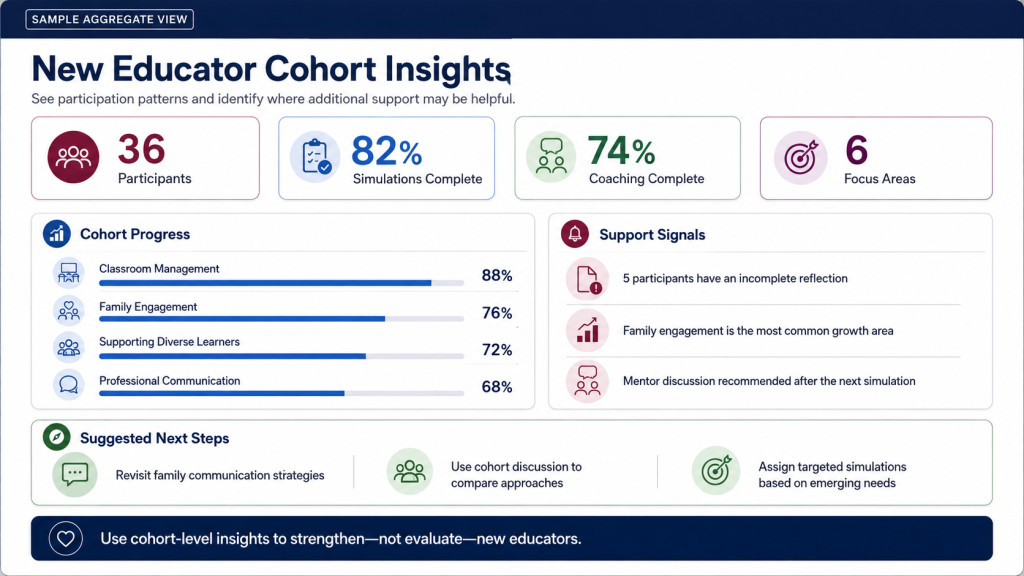
Completion data, coaching participation, reflections, and competency trends can give district leaders a clearer picture of how an induction cohort is progressing.
Cohort-level insights can help program leaders:
- Monitor simulation and coaching participation
- Recognize commonly identified growth areas
- Identify incomplete activities or reflections
- Select topics for upcoming cohort discussions
- Recommend targeted simulations based on emerging needs
- Determine where additional mentor or coaching support may be helpful
These insights are intended to strengthen professional learning—not evaluate new educators. They help districts respond to cohort needs while maintaining a supportive environment for reflection, practice, and growth.
Move beyond attendance and completion records to understand where your induction program can provide more meaningful support.
How to Use SchoolSims in Your Induction Program
- Select Relevant Simulations: Choose scenarios aligned with district priorities, educator needs, or upcoming induction topics.
- Assign the Experience: Use simulations synchronously, asynchronously, or as part of a blended cohort session.
- Reflect and Engage in AI Coaching: Participants examine their decisions and identify practical next steps.
- Connect Insights to District Supports: Participants can bring insights into mentor meetings, coaching conversations, PLCs, or cohort discussions.
- Apply and Revisit: Encourage educators to test strategies in practice, reflect on the experience, and establish new development goals.